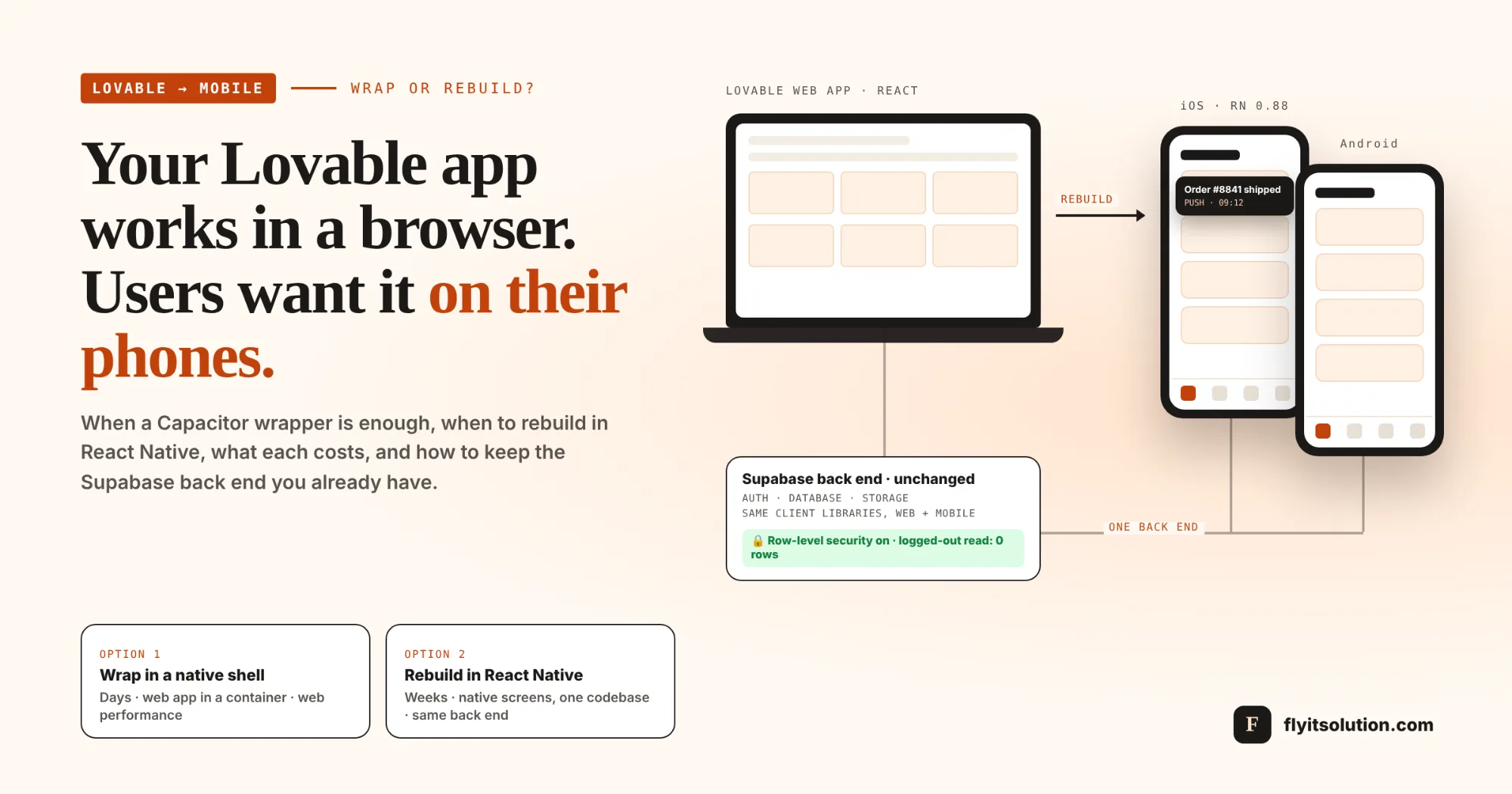
A Lovable app becomes a mobile app in one of two ways: you wrap the web build in a native shell so it can be listed in the stores, or you rebuild the front end in React Native and keep the back end you already have. The first takes days and gives you a web page in an app icon; the second takes weeks and gives you a real app.
The decision has a deadline attached this quarter. React Native 0.88 shipped on 19 October with no user-facing breaking changes and with iOS SceneDelegate support ahead of Apple's scene requirement in the iOS 27 SDK, per the React Native 0.88 release post. Apps built now start on a current foundation; wrappers built now inherit whatever the web app was.
This post explains why Lovable does not produce a mobile app on its own, the honest difference between wrapping and rebuilding, what each costs, the six steps that move a Lovable project to React Native without losing its data, and what to do if you want it done for you.
The problem: Lovable builds web apps, and your users want an app
Lovable produces a web application: React code, published to a URL, running in a browser. That is what makes it fast, and it is also why there is no App Store button.
The confusion is understandable, because Lovable has a mobile app. Per Lovable's documentation on its mobile app, that app is for building and continuing projects from a phone or tablet, not for packaging your project as something a customer installs.
So the week after launch, the same message arrives customers want push notifications, a home-screen icon, camera access, something that works on a train. The question is how to get there without starting over.
Option 1: wrap the web app in a native shell
A wrapper such as Capacitor puts your existing web build inside a native iOS and Android container, so it can be submitted to stores and installed like any app. The code stays what Lovable generated; the shell adds the icon, the store listing and plugin access to some device features.
It is quick, and for some apps it is enough. If the product is mostly forms, lists and dashboards, and the goal is a store listing to validate demand, a wrapper gets you there in days.
The limits are the ones a wrapper vendor will tell you itself: the app must be a static build, native plugins need a fresh native build before they work, the bundle identifier can never change after publishing, and the experience is web performance and web navigation inside a frame. Store reviewers also look harder at thin wrappers than at native apps.
Option 2: rebuild the front end in React Native, keep everything else
A React Native rebuild replaces the screens, not the system. The Supabase database, auth, storage and business rules stay where they are; the React Native app connects to them with the same client libraries the web app uses.
What you gain is a native app: real navigation, native components, offline patterns, push notifications, camera and biometrics as first-class features, and one codebase for both stores. The stack is React and TypeScript, which is what the Lovable project already is, so the data model and much of the logic carry across.
Our guide to native versus cross-platform apps covers why React Native rather than Swift and Kotlin for most business apps; the short version is one codebase, a larger developer pool and a fit with React on the web.
Wrapper or rebuild: the comparison
| Factor | Capacitor wrapper | React Native rebuild |
|---|---|---|
| Time to a store listing | Days | Weeks (an MVP-sized project) |
| What ships | The web app in a native container | Native screens with one codebase for iOS and Android |
| Performance and feel | Web | Native |
| Device features | Through plugins, each needing a native build | First-class: push, camera, offline, biometrics |
| Back end | Unchanged | Unchanged |
| Codebase after | Web app plus a shell | Web app plus a mobile app sharing the back end |
| Best for | Validating demand, internal tools, content apps | Daily-use products, consumer apps, anything users compare with native apps |
Many teams do both, in order: wrap to get listed and learn, then rebuild the screens users actually live in. The mistake is treating the wrapper as the finished product once the reviews start mentioning speed.
Before either option the database
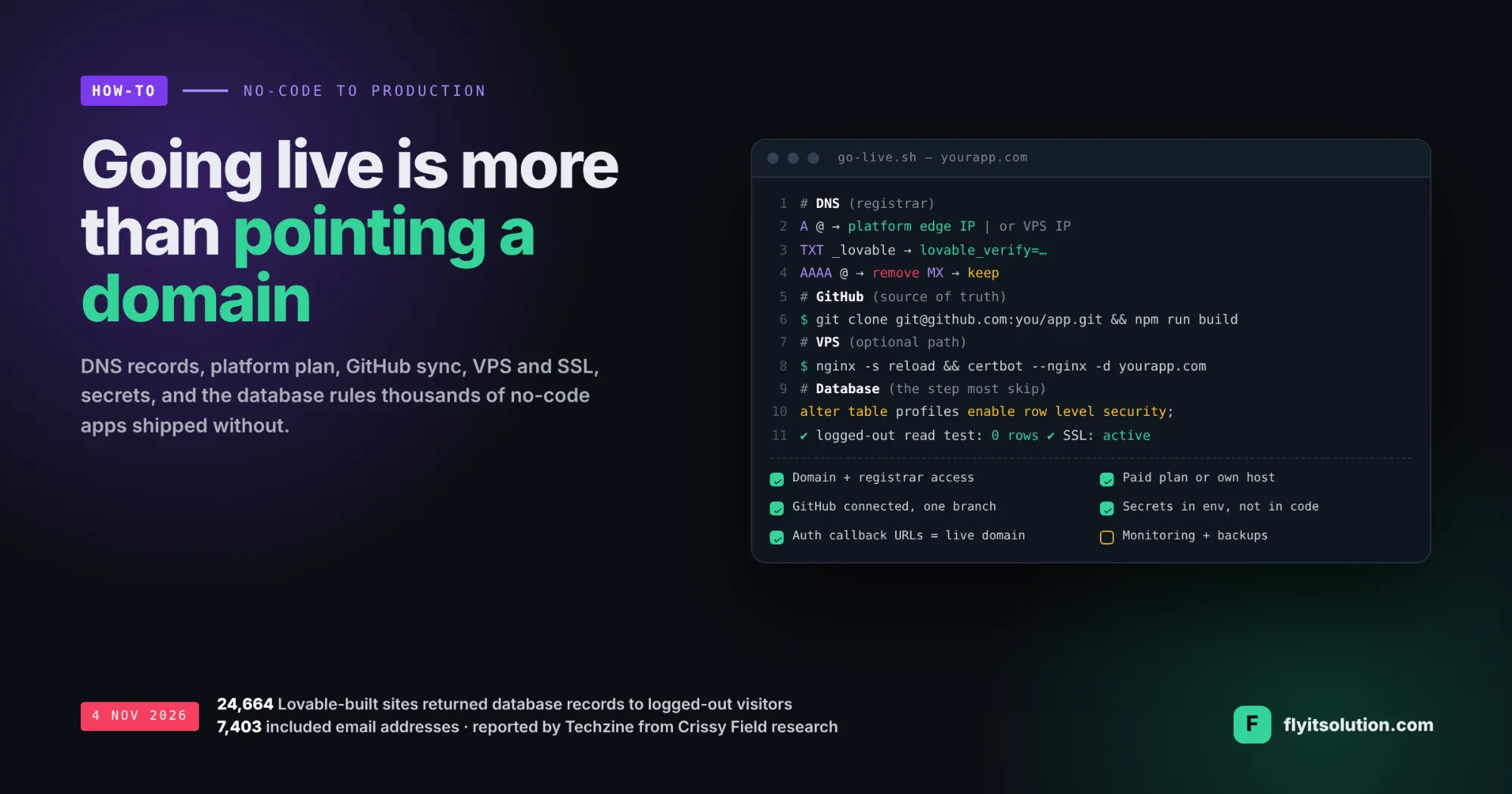
A mobile app talks to the same database as the web app, so an open table is exposed twice. Research reported by Techzine on 4 November found 24,664 Lovable-built sites returning Supabase records to visitors who had not logged in, 7,403 of them with email addresses, because of missing access policies; the figures are from Techzine's report.
Turn on row-level security on every table with a policy per role, move secrets out of the front end, and test as a logged-out user before any app, wrapped or rebuilt, goes to testers. The full go-live checklist is in how to deploy a no-code app to production.
What does it cost?
A wrapper is days of work plus store accounts, Apple's annual developer fee and Google's one-time fee. A React Native rebuild is priced by screens and device features, which is why we quote in writing within 24 hours of a free consultation rather than publishing a rate.
For a typical Lovable MVP with a dozen screens, the rebuild is an MVP software development engagement; ours usually run four to six weeks, with weekly progress reports and installable test builds. Fixed-price and hourly billing are both available, and you own the code, the repository and the store accounts.
Six steps from Lovable to React Native without losing your back end
The order protects the data and keeps the web app live throughout. The GitHub connection comes first because, per Lovable's GitHub documentation, each project syncs to one repository and one branch, and that repository is where the rebuild starts.
1. Connect GitHub and freeze the web app. Connect the Lovable project to GitHub so the code and the data model are in a repository you own. The web app keeps running throughout; nothing is switched off.
2. Lock the database before any app ships. Turn on row-level security on every Supabase table with a policy per role and move any secret out of the front end. A mobile app talks to the same database, so an open table is exposed twice.
3. List the screens and the device feature you need. Map every screen of the web app, then mark which ones need camera, push notifications, offline use, biometrics or background tasks. That list decides whether a wrapper is enough or a rebuild is required.
4. Rebuild screen by screen in React Native, reusing the back end. The Supabase client, auth and data model carry over; the screens are rebuilt with native components and navigation. Business rules move to the back end or shared TypeScript so web and mobile stay in step.
5. Set up store accounts and a release pipeline early. Apple Developer and Google Play accounts, bundle identifiers that will never change, TestFlight and Play internal testing, and a build pipeline, all before the first screen is finished so testing starts on real phones.
6. Launch to testers, then to the stores, and keep the web app. Release to a closed group first, fix what they find, then publish. The web app stays as the desktop and marketing surface, sharing the same data, and new features are planned for both at once.
What we have shipped in React Native
Our event listing platform includes a customer app and a staff app built in React Native, with camera-based QR ticket scanning at the door, sharing a back end with the web platform. Our operations platform for a specialty distributor includes React Native apps for reps and warehouse teams on the same back end as the web system.
Both have the shape a Lovable project takes when it goes mobile: one back end, a web surface, and native apps for the people who use it daily.
Want it done for you? Start with a free scope review
Send us the Lovable project link and a sentence about who will use the app on a phone. Within one business day you get a screen count, a wrap-or-rebuild recommendation with the reasons, and a written quote for the React Native build through our custom web and mobile app development service.
Projects start within 48 hours of agreement. Teams with their own engineers can hire dedicated React Native developers to do the rebuild alongside them, and founders still deciding between builders will find Lovable vs WordPress and our no-code and low-code services useful. Book a free scope review and we will tell you which option fits before you spend anything.
Frequently asked questions
Can Lovable build a mobile app?
Lovable builds web applications. Its own iOS and Android app, per its documentation, is for building projects from a phone, not for turning a project into an installable app. To reach the App Store and Google Play you either wrap the web build in a native shell with a tool such as Capacitor, or rebuild the front end in React Native and keep the back end.
What is the difference between a Capacitor wrapper and a React Native rebuild?
A Capacitor wrapper ships your existing web app inside a native container, so it is fast and cheap but still a web page: web performance, web navigation, and native features only through plugins. A React Native rebuild gives you real native screens, navigation and device access with one codebase for iOS and Android, at the cost of rebuilding the front end. The back end, database and auth stay the same in both cases.
When is a wrapper enough?
When the app is mostly forms, lists and dashboards, when you need a store listing quickly to validate demand, and when you can accept web-level performance and the review risk that comes with a thin wrapper. If users will live in the app daily, need offline use, push notifications, camera-heavy flows or native feel, plan the React Native rebuild from the start.
Do I lose my Supabase data when moving to React Native?
No: the database, auth and storage stay exactly where they are, the React Native app connects to them with the same client libraries, and the migration rebuilds screens, not data. The one thing you must do first is enable row-level security, because research reported on 4 November 2026 found tens of thousands of Lovable-built sites exposing database records through missing policies.
How much does it cost to convert a Lovable app to a React Native app?
It depends on the number of screens and the device features, so we quote in writing within 24 hours of a free consultation. A wrapper is days of work; a React Native rebuild of a typical MVP with a dozen screens is an MVP-sized engagement, and our MVP projects usually run four to six weeks. Fixed-price and hourly billing are available, and you own the code and the store accounts.
Why React Native rather than native Swift and Kotlin?
One codebase covers both stores, the stack matches the React and TypeScript your Lovable project already uses, and React Native 0.88, released in October 2026, is on the New Architecture with no user-facing breaking changes. Native is the better choice only for apps that depend on deep hardware, heavy graphics or day-one platform features.
Has Fly IT Solution shipped React Native apps?
Yes. Our white-label event listing platform includes a customer app and a staff app built in React Native, with camera-based QR ticket scanning, and our operations platform for a specialty distributor includes React Native apps for reps and warehouse teams. Both share a back end with a web application, which is the same shape as a Lovable project moving to mobile.