
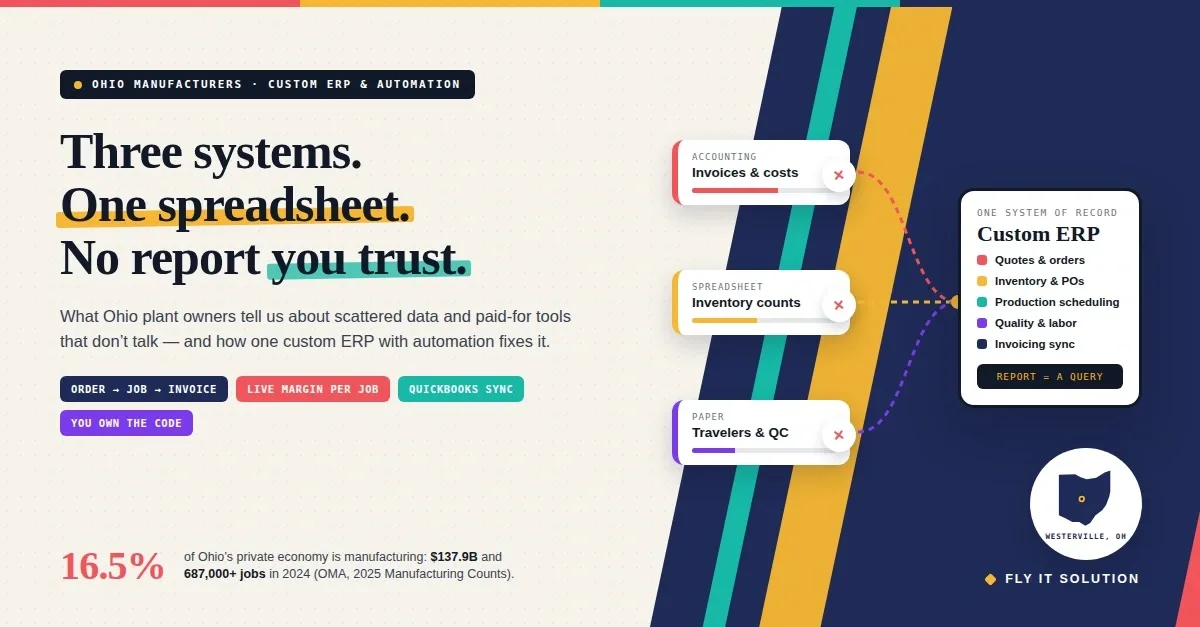
Ohio manufacturers streamline operations by putting orders, inventory, production, quality and invoicing in one custom ERP, then automating the hand-offs between them. The problem is rarely a missing feature. It is that the data lives in three or four systems, each paid for separately, and someone retypes it between them.
Manufacturing is the largest part of Ohio's private economy, at 16.5 percent and $137.9 billion in 2024, with more than 687,000 jobs, according to the Ohio Manufacturers' Association's 2025 Ohio Manufacturing Counts report. A lot of those plants run on a mix of an accounting package, a scheduling tool, a spreadsheet and paper travelers.
This post starts with what owners in that position tell us, then covers what a custom ERP for a manufacturer contains, where automation pays back first, how to decide between building and buying, and a six-step plan. If you want a short version of the service itself, see custom ERP software development.
What Ohio manufacturers tell us about their current systems
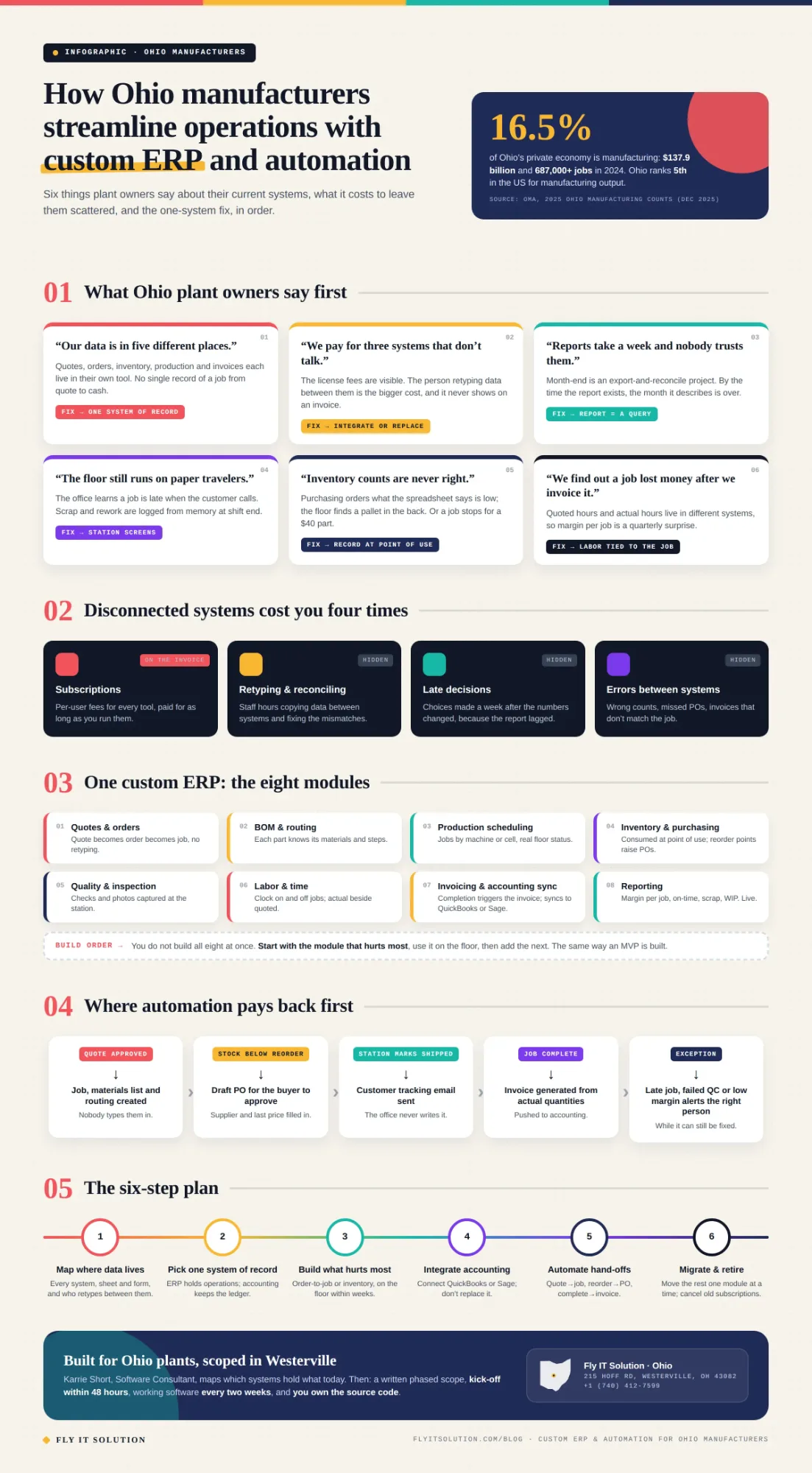
Six sentences come up in almost every first call. Each one points to the same root cause: more than one system of record.
“Our data is in five different places.”
Quotes in one tool, orders in another, inventory in a spreadsheet, production on paper, invoices in accounting. Nobody is wrong; each tool was the right fix at the time.
What it tells us: there is no single record of a job from quote to cash. The fix is one database where a job carries its materials, labor, quality checks and invoices with it.
“We pay for three systems that don't talk to each other.”
Per-user subscriptions for each tool, plus the cost of the person who copies data between them. The license fees are visible; the retyping is not, and it is usually the bigger number.
What it tells us: integration was never designed, so staff became the integration. A custom ERP either replaces the tools or connects them, and the retyping stops.
“Reports take a week and nobody trusts them.”
Month-end means exporting from each system, reconciling in Excel, and arguing about which number is right. By the time the report exists, the month it describes is over.
What it tells us: reporting is a reconciliation job because the data is scattered. When every transaction lands in one database, the report is a query, not a project, and it is current this morning.
“The floor still runs on paper travelers.”
Job status is on a clipboard, so the office finds out a job is late when the customer calls. Scrap and rework are recorded, if at all, at the end of the shift from memory.
What it tells us: the shop floor has no way to write back to the system. A tablet or phone screen per station, with a scan to open the job and a tap to move it, closes that gap.
“Inventory counts are never right.”
Purchasing orders what the spreadsheet says is low, and the floor finds a pallet of it in the back. Or the opposite, and a job stops for $40 parts.
What it tells us: consumption is not recorded against jobs as it happens. Record materials at the point of use, and stock levels, reorder points and purchase orders follow automatically.
“We find out a job lost money after we invoice it.”
Quoted hours and actual hours live in different systems, so margin per job is a quarterly surprise rather than a daily number.
What it tells us: labor and materials are not tied to the job record. When they are, you see margin while the job is still on the floor, in time to do something about it.
Why do several off-the-shelf systems cost more than they look
A set of disconnected tools costs you four times: the subscriptions, the staff hours spent retyping and reconciling, the decisions made late because reports lag, and the errors that creep in between systems. Only the first one appears on an invoice.
Package ERPs solve part of this, but Ohio plants we meet have often bought one and still run spreadsheets around it, because the package does not match how they quote, route or inspect. That is the signal for custom. Our custom ERP decision guide walks through the choice in more detail.
What a custom ERP for an Ohio manufacturer contains
A custom ERP for a manufacturer is one database with the modules your plant actually uses, in the order you use them, and nothing you do not. For most Ohio plants that means the following.
Quotes and orders. A quote becomes an order becomes a job without retyping. Customer, parts, quantities and promised date carry through.
Bills of materials and routing. Each part knows its materials and its steps, so a job knows what to pull and where it goes next.
Production scheduling. Jobs on a board by machine or cell, with real status from the floor, not from a morning meeting.
Inventory and purchasing. Stock consumed against jobs at the point of use; reorder points raise purchase orders automatically.
Quality and inspection. Checks and photos captured at the station, tied to the job, so a rework or a customer complaint has a record.
Labor and time. Clock on and off jobs from the station screen, so actual hours sit next to quoted hours.
Invoicing and accounting sync. Completion triggers the invoice; invoices and costs flow to QuickBooks, Sage or whatever you keep the ledger in.
Reporting. Margin per job, on-time delivery, scrap rate and WIP, live, from the same data the floor entered.
You do not build all eight at once. You build the one that hurts most, use it, then add the next, which is also why we scope ERP work the way we scope MVP software development: one core workflow in real use before the rest.
Where automation pays back first
Automation pays back fastest at the hand-offs between departments, because that is where the retyping, the waiting and the errors live. These are the five we build first.
Approved quote to job. The moment a customer accepts, the job, its materials list and its routing exist. Nobody creates them by hand.
Reorder point to purchase order. Stock drops below the level you set and a draft PO appears for the buyer to approve, with the supplier and last price filled in.
Station status to customer update. A job moving to “shipped” sends the tracking email. The office never types it.
Completion to invoice. A job marked complete generates the invoice from actual quantities and sends it to accounting.
Exceptions to alerts. A late job, a failed inspection or a margin below target notifies the right person while it can still be fixed.
We have built this pattern outside manufacturing too. An operations management platform for a medical device distributor forecasts demand, processes orders automatically and gives warehouse teams native iOS and Android apps. A multi-carrier shipping platform pulls live FedEx, USPS and Canada Post rates and generates labels and invoices.
An attendance-based payroll and invoicing system turns one attendance record into both the client invoice and the staff payroll. The logic is identical on a plant floor: record the event once, and let the system do the rest.
Build a custom ERP or buy a package?
Buy a package if a standard ERP fits your process with light configuration and you accept paying per user for as long as you run it. Build if your process is what makes you competitive, if you have already bought a package and surrounded it with spreadsheets, or if you need deep integration with machines, carriers or customer portals.
Most Ohio plants end up in the middle: a custom core for operations, integrated with standard accounting software they keep. And if you already have an older in-house system, the choice is often whether to migrate or rebuild a legacy system rather than start from zero; our legacy code migration work moves it in phases while the plant keeps running.
Where a module is simple, an internal form or approval flow, we build it with no-code and low-code solutions inside the same system, so you are not paying custom-code prices for a checklist.
A six-step plan to streamline operations
The order matters more than the speed. Most plants can be on step three within the first month.
1. Map where your data lives today. List every system, spreadsheet and paper form that holds orders, inventory, production, quality, labor or invoices, and who retypes data between them.
2. Pick one system of record. Decide which system will hold the truth for each kind of data. Usually the custom ERP holds operations and your accounting software keeps the ledger.
3. Build the module that hurts most first. Start with the workflow that causes the most retyping or the worst reporting, often order-to-job or inventory, and get it in front of the floor within weeks.
4. Integrate, don't replace, accounting. Connect the ERP to QuickBooks, Sage or whatever you run so invoices and costs flow across without double entry.
5. Automate the hand-offs. Turn approved quotes into jobs, trigger purchase orders at reorder points, send status updates and generate invoices automatically.
6. Migrate the rest and retire old systems. Move remaining modules one at a time, migrate historical data, and cancel the subscriptions the ERP has replaced.
If your sales side is as scattered as your floor, the same approach applies to the front office; what custom CRM development is explains it, and custom CRM software development is the service.
What it costs
Custom ERP cost depends on how many of the eight modules you need and how many systems it must connect to, not on where in Ohio you are. A phased build starting with one module costs a fraction of a full platform and begins paying back while the rest is built.
The fair comparison is not “custom vs free”. It is the quote against what you already pay for several subscriptions, plus the hours your team spends reconciling them, plus the cost of the decisions made a week late. Put those on one page before the first call and the answer is usually clear.
How this works for manufacturers in Ohio
Fly IT Solution is a software development company in Ohio with a consultant in Westerville, in the Columbus metro area, and engineering teams in Minneapolis and Mohali. Karrie Short meets plant owners in person across central Ohio, or by video anywhere in the state, to map which systems hold what today.
From there: a written, phased scope; kick-off within 48 hours of agreement; working software every two weeks; and the source code handed over as yours. The floor sees the first module in weeks, not after a year-long implementation.
If one of the six sentences at the top of this post sounded like your plant, talk to Karrie. Bring the list of systems you pay for today; it is the most useful document for a first call.
Frequently asked questions
What is custom ERP software for manufacturers?
Custom ERP software for manufacturers is a single system built around how one plant runs, holding quotes, orders, bills of materials, production scheduling, inventory, purchasing, quality checks, labor and invoicing in one database. Unlike an off-the-shelf ERP, it contains only the workflows you use, in the order you use them, and it integrates with the accounting, and shopfloor tools you already own.
How does custom ERP help Ohio manufacturers streamline operations?
It removes the retyping between systems. When an order, a job, its materials, its labor and its invoice live in one place, reports come from the data itself instead of from someone reconciling spreadsheets, and the hand-offs between sales, the floor, purchasing and accounting can be automated. Ohio manufacturers we talk to usually run two to five disconnected tools; one system of recording is the streamlining.
How much does custom ERP software cost for a manufacturer in Ohio?
It depends on how many modules you need and how many systems it must connect to. A phased build that starts with one module, for example order-to-job or inventory, costs a fraction of a full platform and starts paying back while the rest is built. Compare the quote against what you pay today for several subscriptions plus the staff time spent reconciling them. Fly IT Solution gives Ohio manufacturers a written, phased quote after a free discovery call.
Should an Ohio manufacturer buy an off-the-shelf ERP or build a custom one?
Buy if a standard package fits your process with little configuration and you are comfortable paying per user indefinitely. Build if your process is what makes you competitive, if you have tried a package and ended up with spreadsheets around it, or if you need deep integration with equipment, carriers or customer systems. Many Ohio plants land in the middle: a custom core for operations, connected to standard accounting software.
Can a custom ERP work with QuickBooks or our existing accounting software?
Yes, and it should. The ERP handles operations, the accounting package keeps the ledger, and an integration moves invoices, payments and costs between them automatically. Replacing accounting software is rarely worth the disruption; integrating it is the usual answer.
How does Fly IT Solution work with manufacturers in Ohio?
Karrie Short, our software consultant in Westerville, meets Ohio manufacturers in person or by video to map how the plant runs today and which systems hold what. We then scope a phased build, kick off within 48 hours of agreement, show working software every two weeks, and hand over the source code, which you own. Our design and engineering teams are in Minneapolis, Minnesota and Mohali, India.