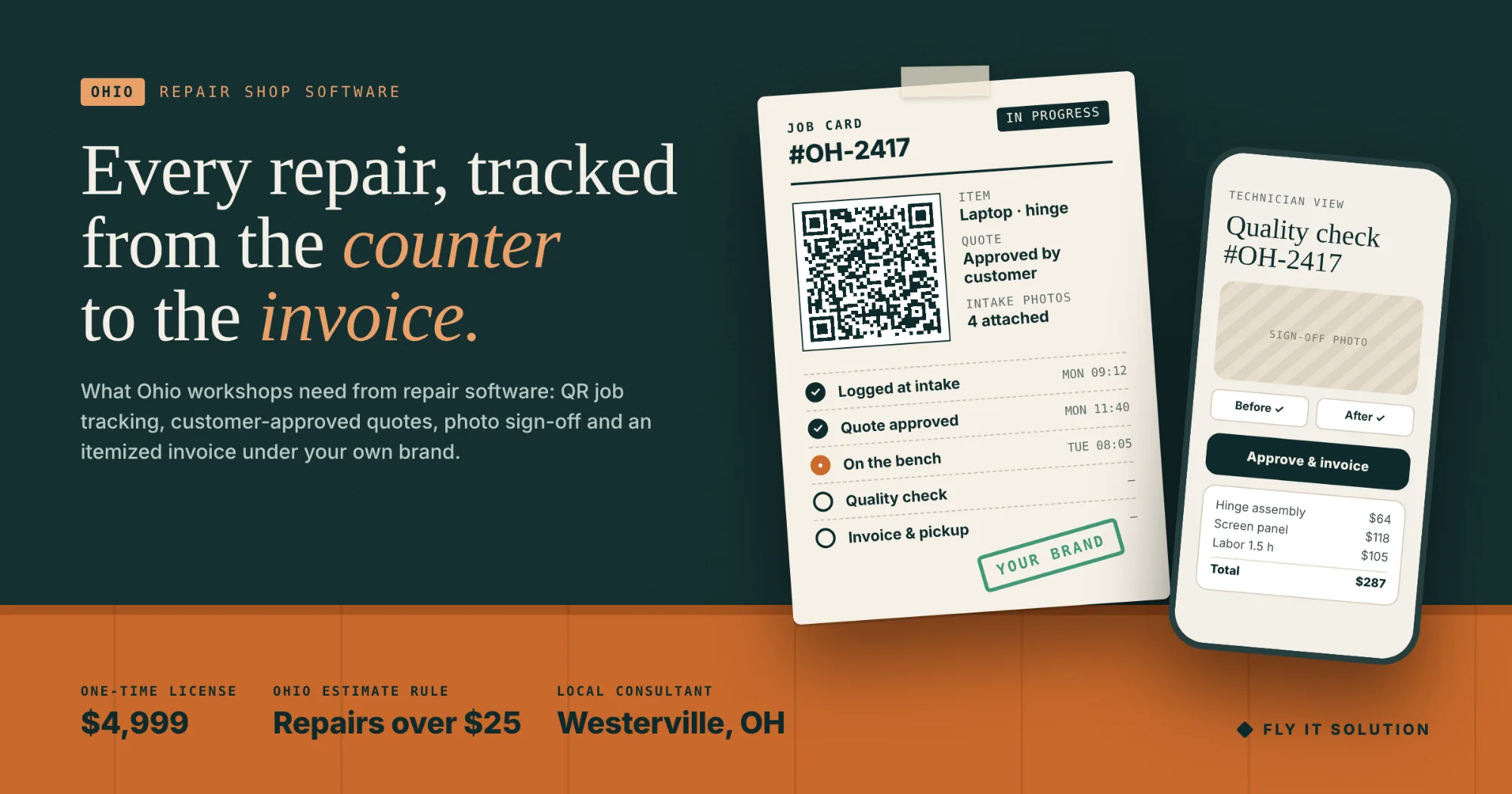
An Ohio repair shop needs software that does five things: log each item with photos and a QR code, send a quote the customer approves before work starts, move the job through stages from a technician's phone, require quality-check photos before sign-off, and turn the finished job into an itemized invoice under the shop's own name. Most shops we meet do those five things with a clipboard, a text message, a walk across the floor, memory, and a notebook.
Ohio adds a reason to fix this that other states do not spell out as clearly. The state's repairs-and-services rules give customers a right to an estimate for work over $25, require authorization before the cost exceeds it, and require an itemized list of the work performed, according to the Ohio Attorney General's repairs and services guide. A shop that quotes by text and invoices from memory is keeping none of that on record.
This post covers what owners tell us about their current set-up, how the Ohio rules fit, what a repair platform contains, how one job moves through it, what it costs, and a five-step plan off the clipboard. If you want the product first, it is our white-label repair workshop management software.
What Ohio repair shop owners tell us
Six sentences come up in almost every first conversation, from phone repair counters in Columbus to equipment shops outside Toledo. Each points to the same gap: the job is not recorded where it happens.
"Where is the job? Someone walks the floor."
A customer calls, the front desk does not know which bench the item is on, and a technician is interrupted to find out.
What it tells us: there is no record of the job's stage. A QR code on the job card, scanned to open the job and tapped to move it, means the stage is always on screen and the floor is never walked for an answer.
"The quote was a text message."
The price went out by text, the customer replied "ok", and a month later nobody can find either message.
What it tells us: the approval that authorizes the work is not attached to the job. A quotation sent from the job record and approved by the customer is the authorization, and it stays with the job.
"The customer called three times for an update."
Each call is a few minutes of front-desk time and an interruption on the bench, multiplied by every open job.
What it tells us: the customer has no view of their repair. A customer login that shows the stage and the completion update answers the call before it is made.
"We argued about a scratch."
The customer says the damage was not there at drop-off. The shop remembers differently. Nobody has a photo.
What it tells us: intake and sign-off are not documented. Photos required at intake and again before the quality checker can approve the job end the argument with evidence.
"The part wasn't there when we needed it."
Stock is in someone's head, so a job stops mid-repair for a component that was used last week and never reordered.
What it tells us: materials are not logged against jobs. Recording what each repair consumed keeps stock levels and cost per job current without a count.
"The invoice got written up two days later."
The job is finished on Tuesday, the invoice is written on Thursday from memory, and the line for the part that was swapped mid-job is missing.
What it tells us: invoicing is a separate task instead of the end of the job. When a completed job generates its own branded, itemized invoice from the recorded materials and work, nothing is left out and nothing waits two days.
How Ohio's estimate and invoice rules fit
Ohio's Consumer Sales Practices Act rules on repairs and services apply to any repair or service costing more than $25, not only motor vehicles. In summary, from the Attorney General's guide: the customer has a right to a written or oral estimate before work starts; if the estimate is $50 or less, authorization is needed before extra cost over $5, and if it is more than $50, before the total reaches 10 percent above the estimate; the shop must provide a written itemized list of the repairs or services performed; and replaced parts must be returned unless rebuilt or sent back under warranty. The rule itself is Ohio Administrative Code 109:4-3-05.
Software does not make a shop compliant, but it keeps the records the rules expect without extra work. A quotation approved by the customer before work starts is the estimate and the authorization; a change to the quote is a second approval on the same job; and the invoice generated from the completed job is the itemized list, with the parts and work recorded as they happened. Confirm your own obligations with the guide or your counsel; this paragraph is a summary, not legal advice.
Repair shop software for Ohio workshops: what the platform contains
A repair workshop management platform is one system that follows each item from intake to payment, with every role seeing its own view. Ours contains the following, under your brand.
- Order tracking with QR codes. Each item gets a serial number and QR code; scan it to open the job, update its stage and see its full history.
- Mobile-first technician interface. Technicians update jobs from a phone on the workshop floor, not from a desk at the end of the day.
- Quotation management. Quotes go to the customer for approval before work starts, and the approval stays with the job.
- Quality control with photos. Required repair photos must be attached before a job can be signed off.
- Inventory and material logging. Materials used per repair are recorded, with stock levels and cost per job tracked.
- Invoice automation. Completed jobs become branded, itemized invoices automatically.
- Real-time WIP dashboard. Every job in progress and its stage on one screen, so bottlenecks show before customers call.
- SLA alerts and routing. Jobs at risk of running late are flagged, and work is routed through your production stages.
- Role-based access. Owners, technicians, quality checkers, front desk and customers each get their own secure view.
- Branded PDFs. Job cards and invoices carry your name, logo and colors, not ours.
It suits any workshop where an item arrives, is quoted, repaired, checked and returned: electronics and phone repair, auto and motorcycle, appliance, bike, instrument and equipment repair, and specialist trades. A surfboard repair workshop runs on it today under its own brand. For a fuller walkthrough of the category, see the repair shop management software guide.
How one repair moves through it
A job takes five steps from the counter to the door, and each step is recorded by the person doing it.
- Log. The item is logged with photos, damage notes and a QR code at intake.
- Quote. A quotation goes to the customer; work starts when they approve it.
- Repair. Technicians move the job through stages from a phone, logging materials as they use them.
- Check. A quality checker reviews the required photos and approves or rejects the work.
- Invoice. The platform creates the branded invoice, the customer sees the update, and the item ships or is collected.
White-label or custom?
License the platform if your shop runs the way most repair shops run: intake, quote, approval, repair, check, invoice, collection. Build custom only when your process is the business itself, or when you plan to sell the software to other shops; the full comparison is in custom vs white-label repair shop software.
If a single step of your trade needs something no platform has, the usual path is to launch the platform, run a month of real jobs, and then scope that one module as MVP software development on top. Owners who are weighing a monthly subscription against a one-time license will find the math in rent or own your repair shop software.
What it costs
The repair shop platform under your own brand is $4,999 one-time, with three months of maintenance, server setup and deployment free. There is no monthly platform fee and no per-user charge.
The license includes your logo, colors and branding across the platform and PDFs, deployment on your own domain, order tracking, inventory, quotations, invoicing and production stages configured to your trade, role-based access for owners, staff, quality checkers and customers, team training, handover documentation, a post-launch support window and full ownership of your deployment. Anything outside the standard package is quoted after the discovery call.
A five-step plan off the clipboard
Most shops are live within a month. The order matters more than the speed.
- Write down one job from arrival to payment. Trace a single repair through intake, quote, approval, work, quality check, invoice and collection, and note where each step is recorded today: clipboard, text, notebook or memory.
- Define your stages and roles. List the production stages a job passes through and who touches it: owner, technicians, quality checker, front desk, and the customer. These become the platform's stages and role-based views.
- Set up quotes, invoices and branding. Load your logo and colors, your standard quote lines and your invoice format, so quotes go out for approval and invoices generate automatically under your name from day one.
- Train the floor on the phone interface. Technicians learn to scan the QR code, move the job and attach photos from a phone; the quality checker learns to approve or reject against the required photos.
- Go live with new jobs, finish old ones on paper. Every new intake goes into the platform from go-live day; jobs already on the floor finish on the old system, so there is no migration crunch and the clipboard retires on its own.
How this works for repair shops in Ohio
Fly IT Solution is a software development company in Ohio with a consultant in Westerville, in the Columbus metro area. Karrie Short meets shop owners in person across central Ohio, or by video from Cleveland, Cincinnati, Dayton, Toledo or Akron, to walk through one job from arrival to payment.
Launch runs in four steps: a discovery call on your workflow, roles and branding; branding and setup of logo, colors, domain, roles, stages and invoicing; review and training; and go-live on your domain with handover and post-launch support. Our engineering teams in Minneapolis and Mohali build and maintain the platform, which is how a one-time license stays at $4,999 while the person you call is in Ohio.
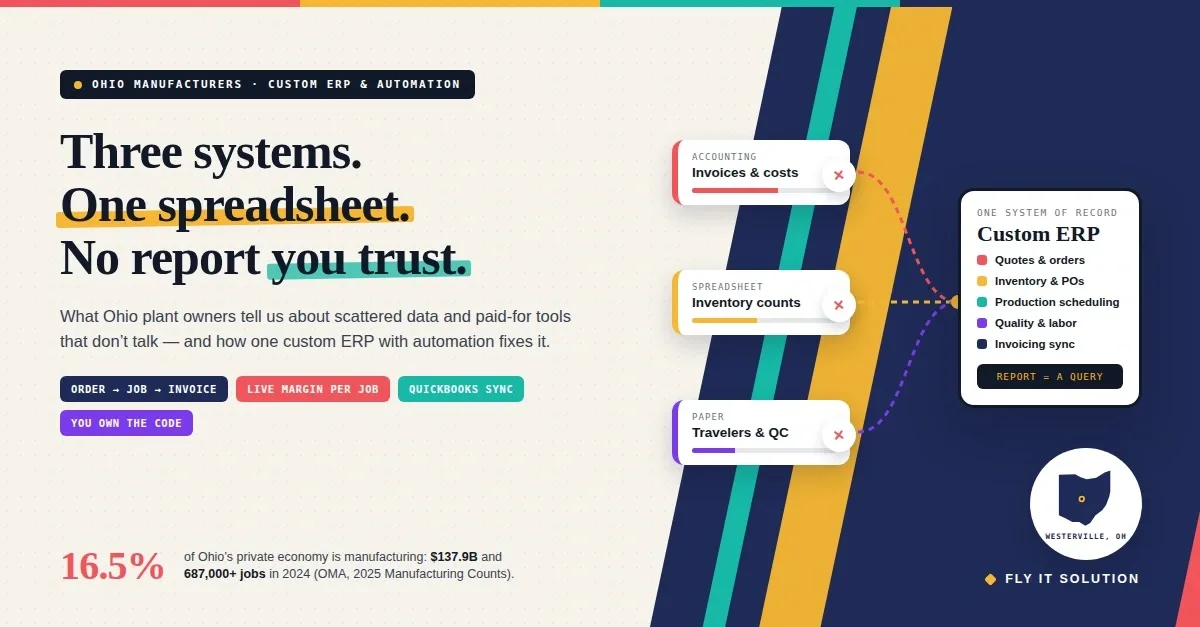
Shops with a manufacturing or fabrication side, where the problem is less about a single repair and more about inventory and production across the whole operation, may find the custom ERP and automation for Ohio manufacturers post closer to their situation.
If one of the six sentences at the top of this post sounded like your shop, talk to Karrie. Bring one job's paperwork, from intake to invoice, in whatever form it exists; it is the most useful thing for a first conversation.
Frequently asked questions
What is repair shop management software?
Repair shop management software is one system that follows each repair from intake to payment: it logs the item with photos and a QR code, sends a quote for customer approval, moves the job through production stages from a technician's phone, records the materials used, requires quality-check photos before sign-off, and turns the completed job into a branded invoice. A white-label version runs under the shop's own name and domain.
How much does repair shop software cost in Ohio?
Our white-label repair workshop management software is $4,999 one-time, set up under your brand, with three months of maintenance, server setup and deployment free. There is no monthly platform fee and no per-user charge. The license includes branding, deployment on your domain, configuration of order tracking, inventory, quotations, invoicing and production stages, role-based access, training, documentation and a post-launch support window. Anything beyond the standard package is quoted after the discovery call.
Does repair shop software help with Ohio's estimate and invoice rules?
It helps you keep the records the rules expect. Ohio's Consumer Sales Practices Act rules give customers the right to an estimate for repairs or services over $25, require authorization before the cost exceeds the estimate by set amounts, and require a written itemized list of the work performed. A quotation sent for approval before work starts, a stage history on every job, and an itemized invoice generated from the completed job give you that paper trail automatically. Confirm your own obligations with the Ohio Attorney General's guide or your counsel; software supports compliance but does not replace it.
Can customers in Ohio check their repair status online?
Yes. Customers get their own role-based view, so they can see the stage of their repair and the update when it is complete instead of calling the shop. The same record carries the quote they approved, the photos taken at intake and sign-off, and the invoice.
Which kinds of repair businesses does the platform suit?
Any workshop where an item arrives, is quoted, repaired, checked and returned: electronics and phone repair, auto and motorcycle repair, appliance repair, bike shops, instrument and equipment repair, and specialist trades. A surfboard repair workshop runs on it today under its own brand. Stages, fields and roles are configured to your trade on the discovery call.
How does Fly IT Solution work with repair shops in Ohio?
Karrie Short, our software consultant in Westerville, meets Ohio shop owners in person across central Ohio or by video anywhere in the state to walk through one job from arrival to payment. Launch runs in four steps: discovery call, branding and setup, review and training, and go-live on your domain. Our engineering teams in Minneapolis, Minnesota and Mohali, India build and maintain the platform, and you own your deployment.